
FREE TOOL
Free Threads Unfollower Finder
Threads returns cached data
(including older info), so results
may differ from real-time numbers.
Upload your downloaded ZIP file
Processed only in your browser · never uploaded
How to download your data from Threads
1
Step 1
2
Step 2
3
Step 3
4
Step 4
5
Step 5
6
Step 6
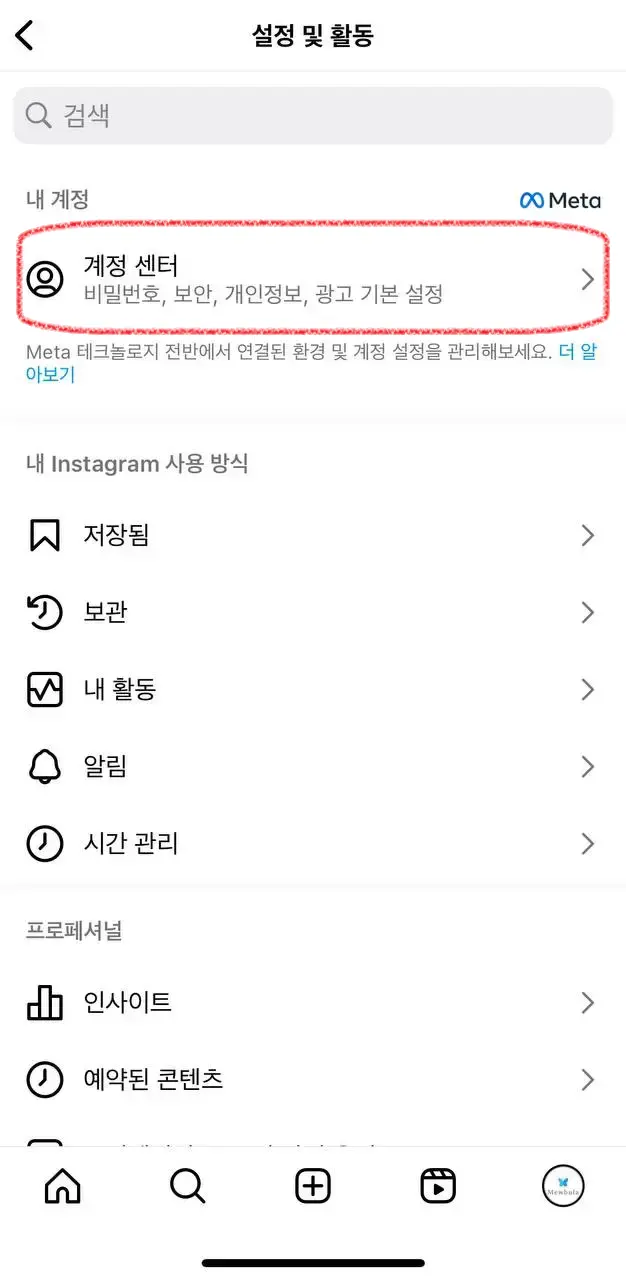
STEP 1 / 6
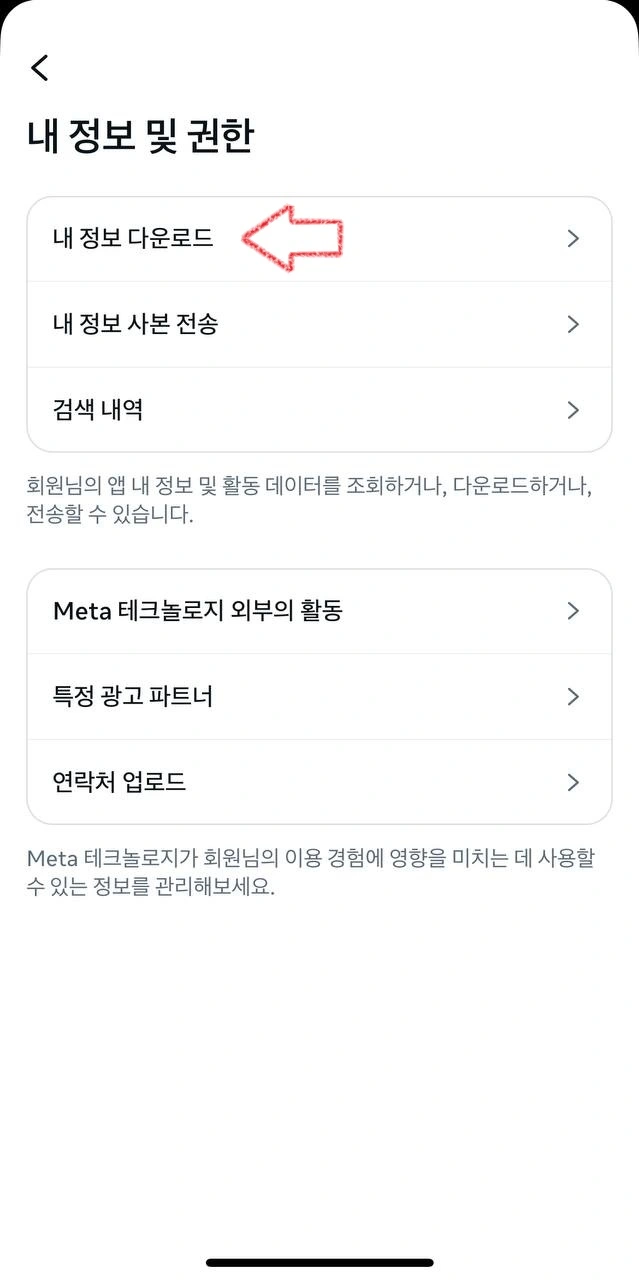
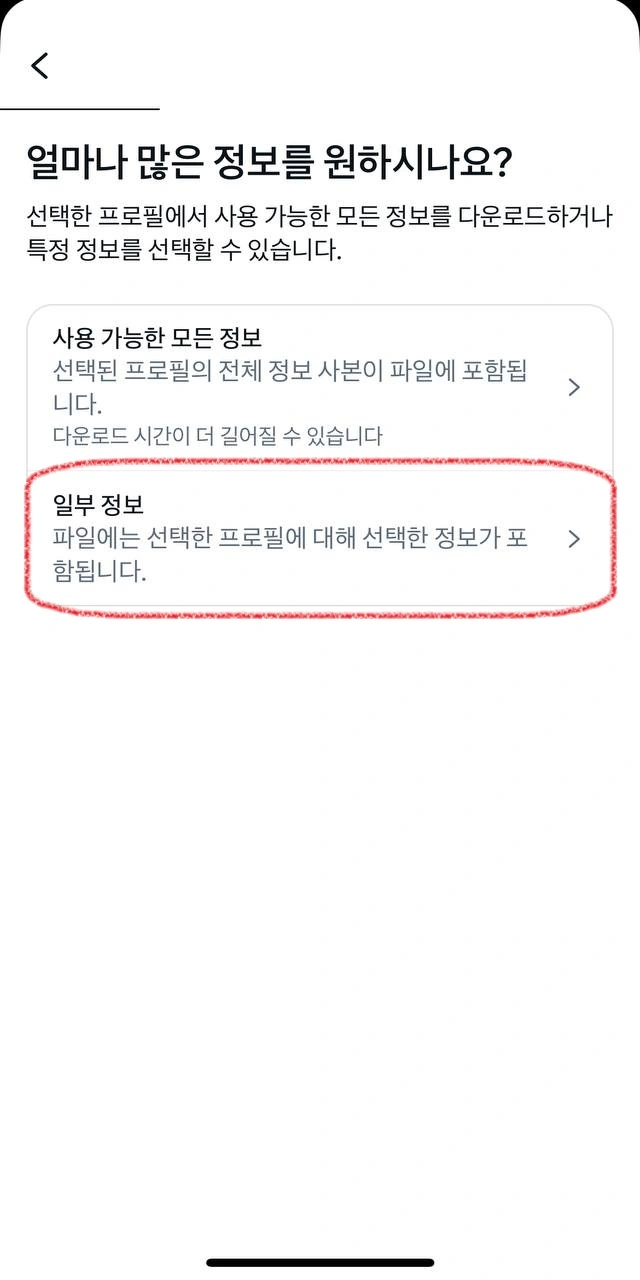
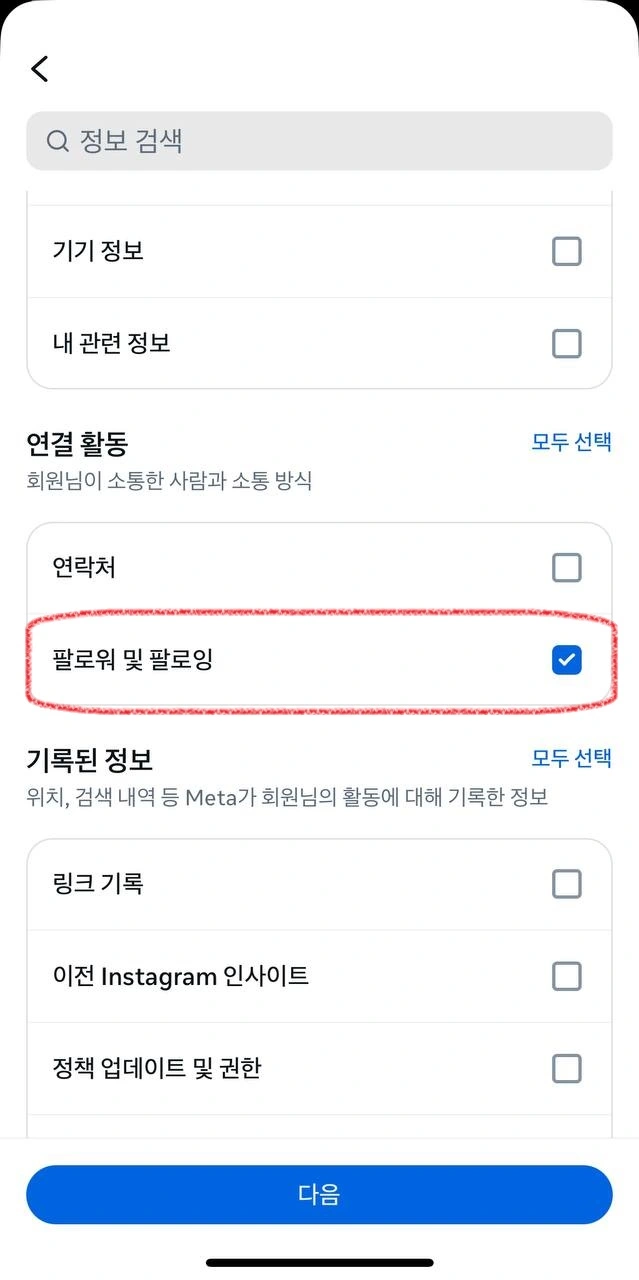
METHOD
Step-by-step guide
- 1 Settings → Accounts Center
- 2 Your information and permissions
- 3 Export your information
- 4 Export to device
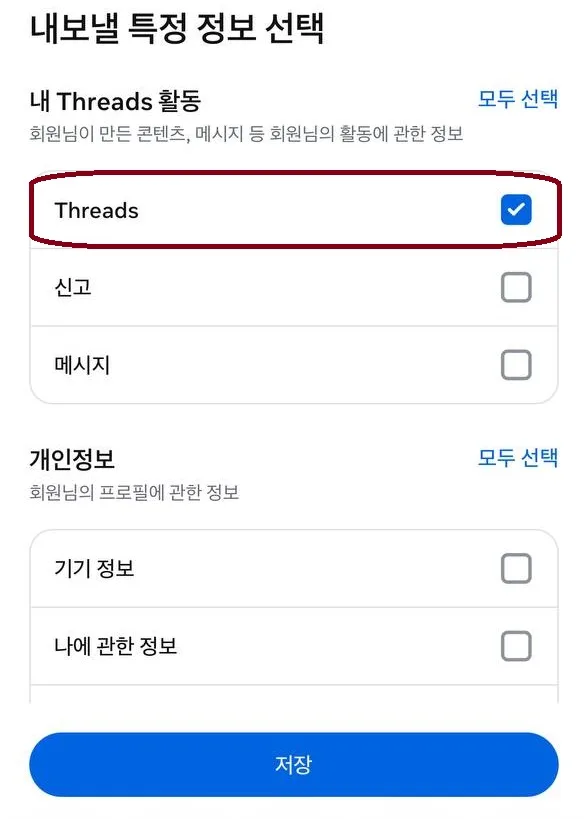
- 5 Select Threads only
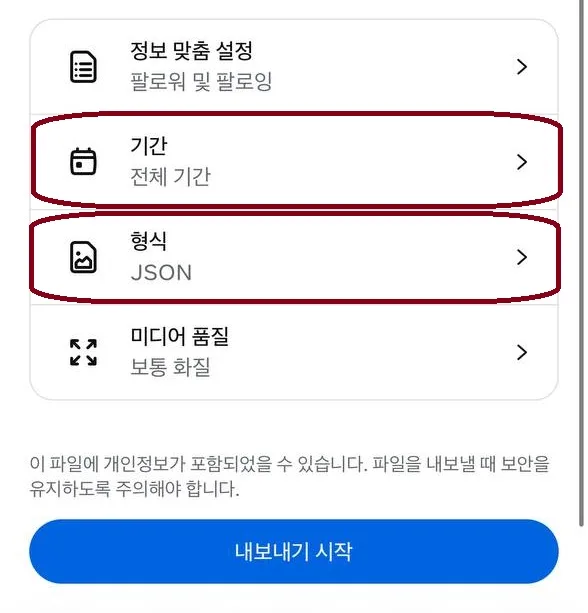
- 6 Set date range to All time
- 7 Change format to JSON
- Start export
Frequently asked questions
The results look off — a mutual friend shows up as an unfollower.
Threads, like Instagram, does not return real-time information every time you request it — it returns saved historical data.
The 'Download your information' feature is not processed in real time on Threads, so the generated file may differ from your actual account state.
In other words, no matter how correctly you configure the settings, there will inevitably be cases where it doesn't match exactly.
This is Threads' policy, so it is a limitation of this method and unavoidable.
The 'Download your information' feature is not processed in real time on Threads, so the generated file may differ from your actual account state.
In other words, no matter how correctly you configure the settings, there will inevitably be cases where it doesn't match exactly.
This is Threads' policy, so it is a limitation of this method and unavoidable.
Is this service safe to use?
Our service works without any Threads or Instagram login, so there is no way for your account information to leak.
Because it only analyzes the file you download yourself, you can use it 100% safely without connecting your account.
Also, the uploaded file is never sent to a server and is processed only in your own browser, so there is no risk of external leakage at all.
Because it only analyzes the file you download yourself, you can use it 100% safely without connecting your account.
Also, the uploaded file is never sent to a server and is processed only in your own browser, so there is no risk of external leakage at all.
Can this affect my Threads account?
This process uses a feature officially provided by Threads, so it never causes any harm.
Unlike unfollow apps that send abnormal macro requests,
you request your own information yourself through the normal path on Threads.
Therefore, no account risk occurs whatsoever.
It is completely unrelated to account suspension, restrictions, or shadowbanning, so you can use it with peace of mind.
Unlike unfollow apps that send abnormal macro requests,
you request your own information yourself through the normal path on Threads.
Therefore, no account risk occurs whatsoever.
It is completely unrelated to account suspension, restrictions, or shadowbanning, so you can use it with peace of mind.