
How to Download Your Instagram Data
To check unfollowers on Instagram, you first need a file containing your followers and following lists. Anyone can get this file for free using Instagram's official "Download your information" feature. You never have to hand over your login details or install a separate app, so there is no risk to your account whatsoever. Just follow the 8 steps below and your JSON file will be ready.
What You'll Need
- The Instagram app (mobile) or the web
- Being logged into your own account (already being logged in is enough)
- A short wait for the file to be prepared (usually within a few minutes)
Step by Step: 8 Steps
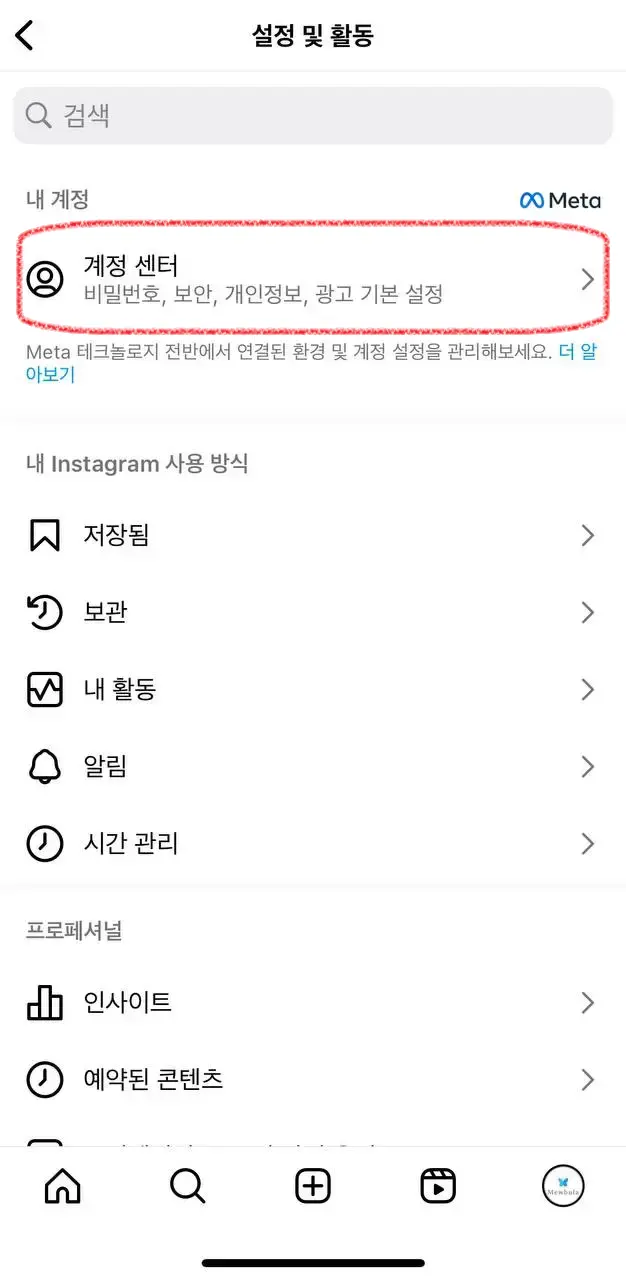
- Go to Settings → Accounts Center — Open the app's Settings and go to 'Accounts Center' at the top.
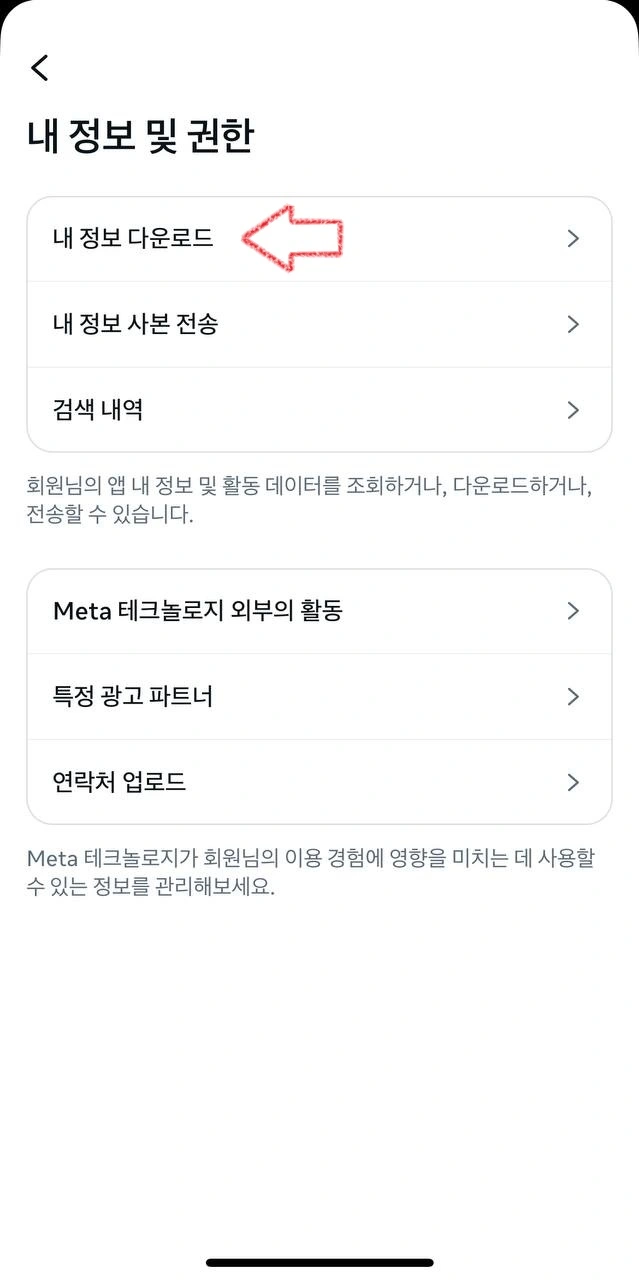
- Your information and permissions — In Accounts Center, select 'Your information and permissions.'
- Export your information — Tap 'Export your information (download)' and choose the target account.
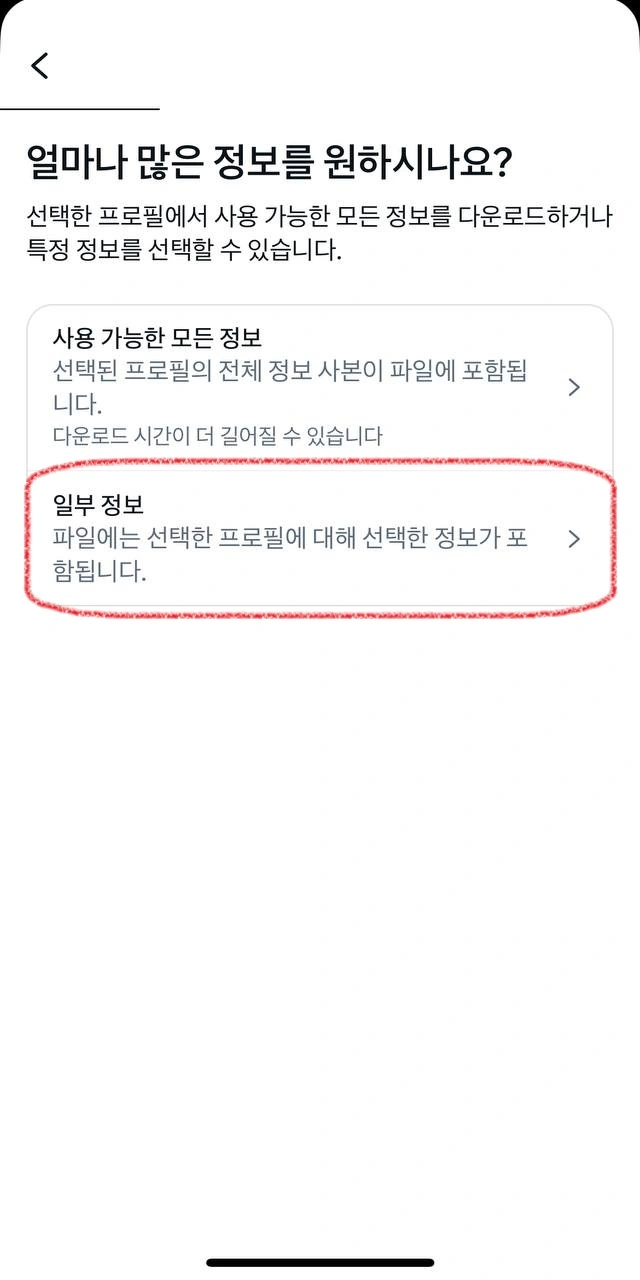
- Export to device — For the export method, select 'Export to device.'
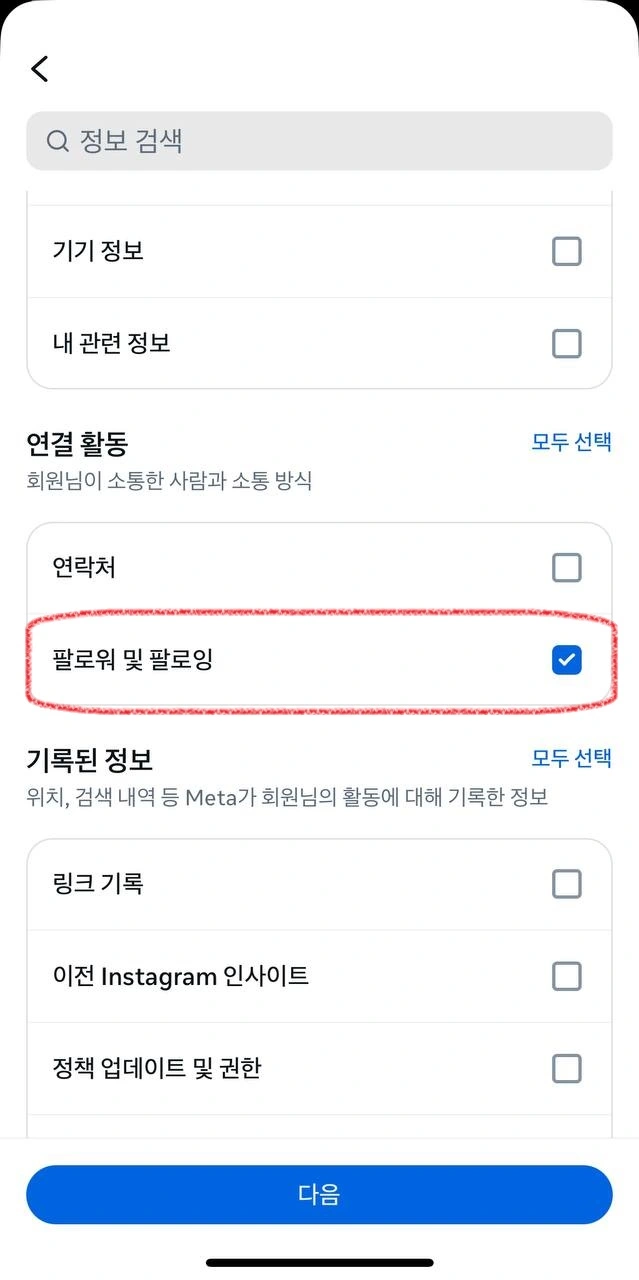
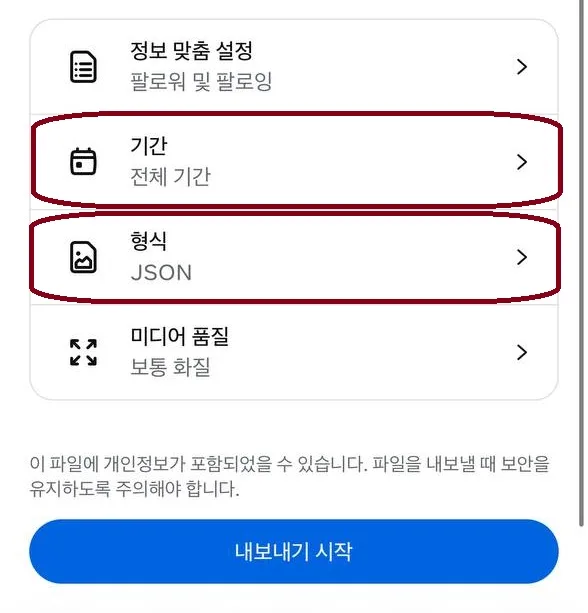
- Check Followers and following only — Under information types, select only 'Followers and following.' Downloading everything makes it unnecessarily large.
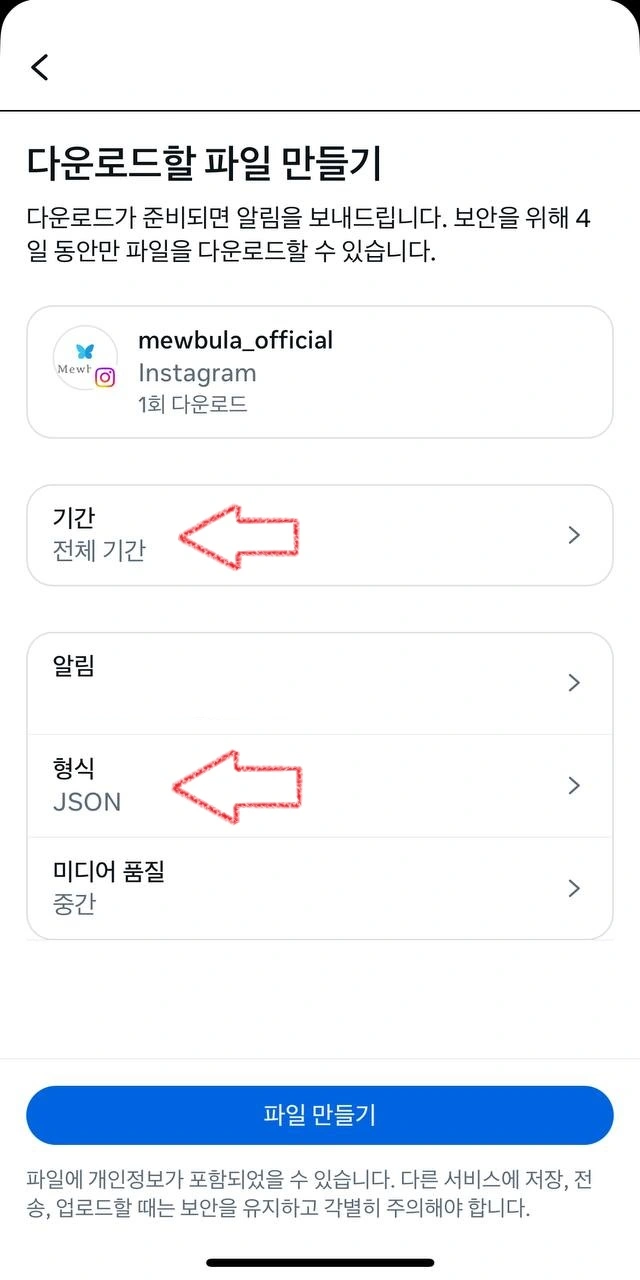
- Set the date range to All time — Leave the date range as 'All time' so nothing is missed.
- Change the format to JSON — Change the format from HTML to JSON. Mewbula analyzes JSON.
- Start the export — Tap the button to request it, and download the ZIP file once it's ready.
The Actual Screens, in Order
Below are the actual Instagram screens for the steps above.
What's Next After Downloading?
Just upload the ZIP file you downloaded directly to the Instagram unfollower checker and you're done. There's no need to unzip it or edit the file. The file you upload is never sent to a server and is analyzed only within your browser, so there is no risk of your account information leaving your device.
Frequently Asked Questions
Why does it have to be JSON format?
Most analysis tools, including Mewbula, process data in the JSON format, which is easy for programs to read. If you download it as HTML, it's easier for people to read but tools can't accurately parse the lists.
How long does the file take to prepare?
If you select only 'Followers and following,' it's usually ready within a few minutes. Once it's ready, Instagram notifies you by push notification or email, and you can download it from the same menu.
Will this process cause any problems for my account?
Not at all. Unlike unfollower apps that send abnormal automated requests, here you are requesting your own data directly through Instagram's official feature, so it has nothing to do with account suspensions, restrictions, or shadowbans.